Short description 30 words
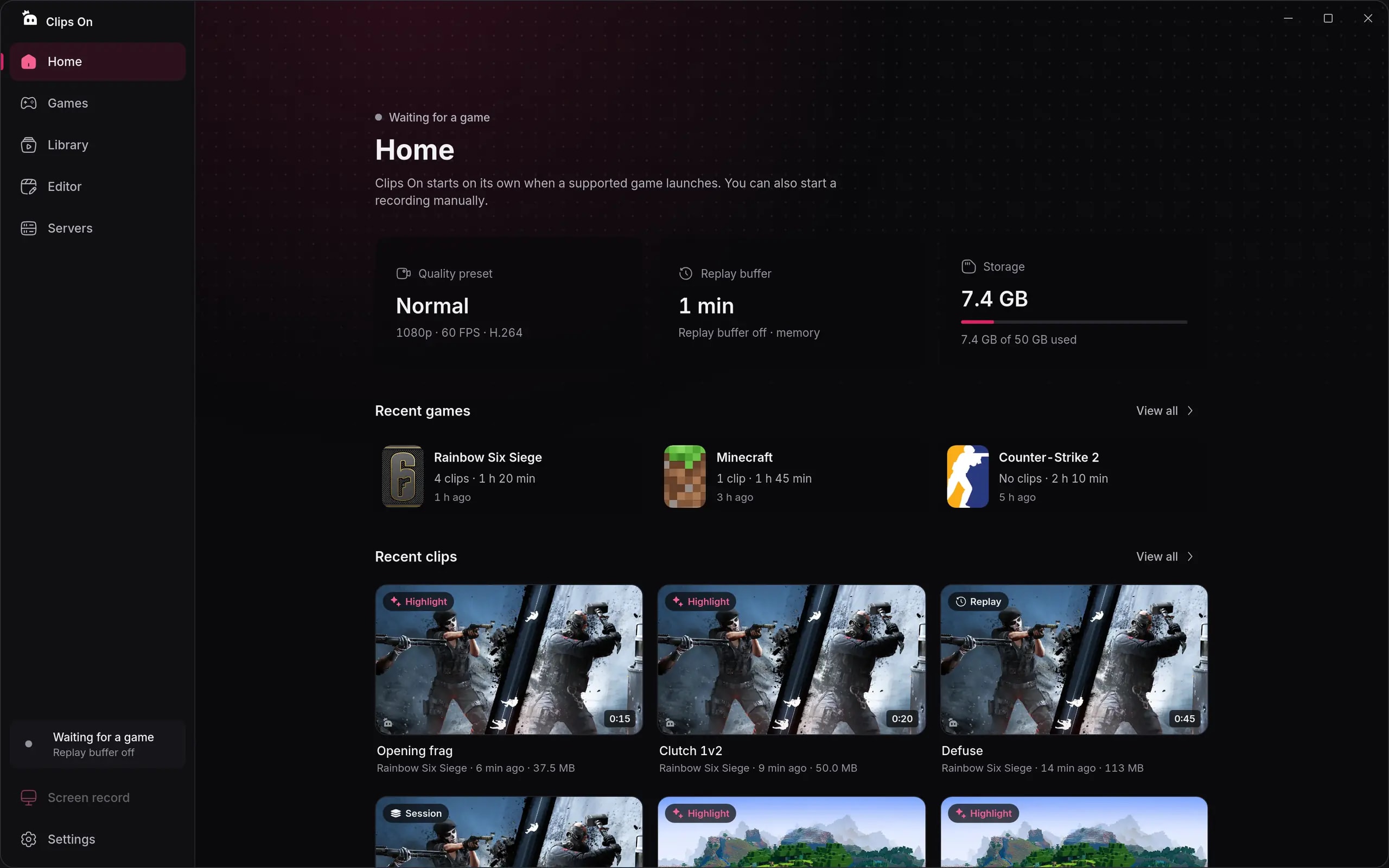
Clips On is a free, lightweight game clip recorder for Windows 10 and 11. It keeps a replay buffer, saves highlights on its own and includes a built-in video editor.
Everything you need to write about Clips On: logos, screenshots, brand colors, a fact sheet and ready-to-use descriptions.
Logos in SVG and PNG, the app icon, screenshots, fact sheet and brand colors. About 1.3 MB.
The short version, for quick reference.
Use these as they are, or shorten them to fit. Copy with one click.
Clips On is a free, lightweight game clip recorder for Windows 10 and 11. It keeps a replay buffer, saves highlights on its own and includes a built-in video editor.
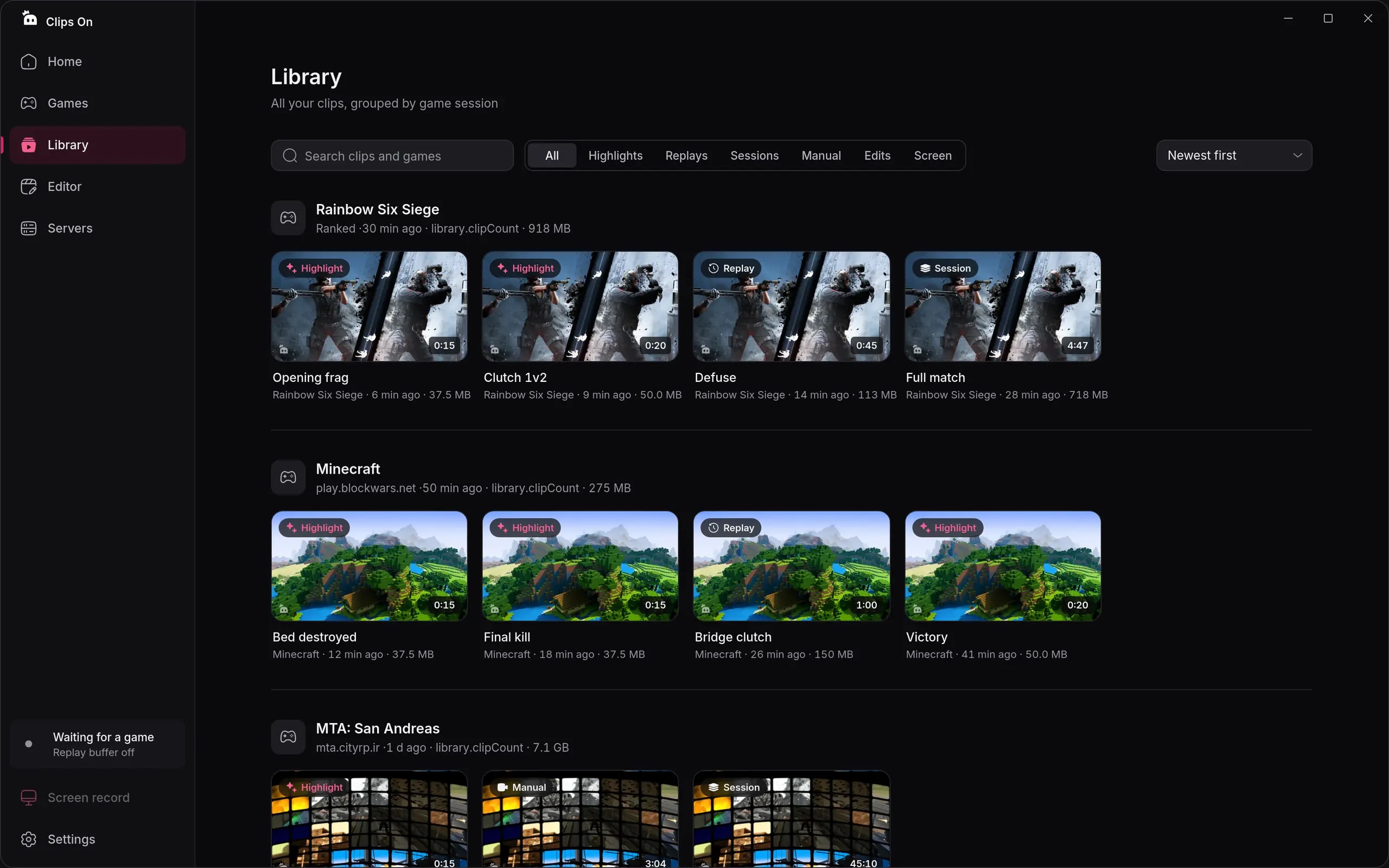
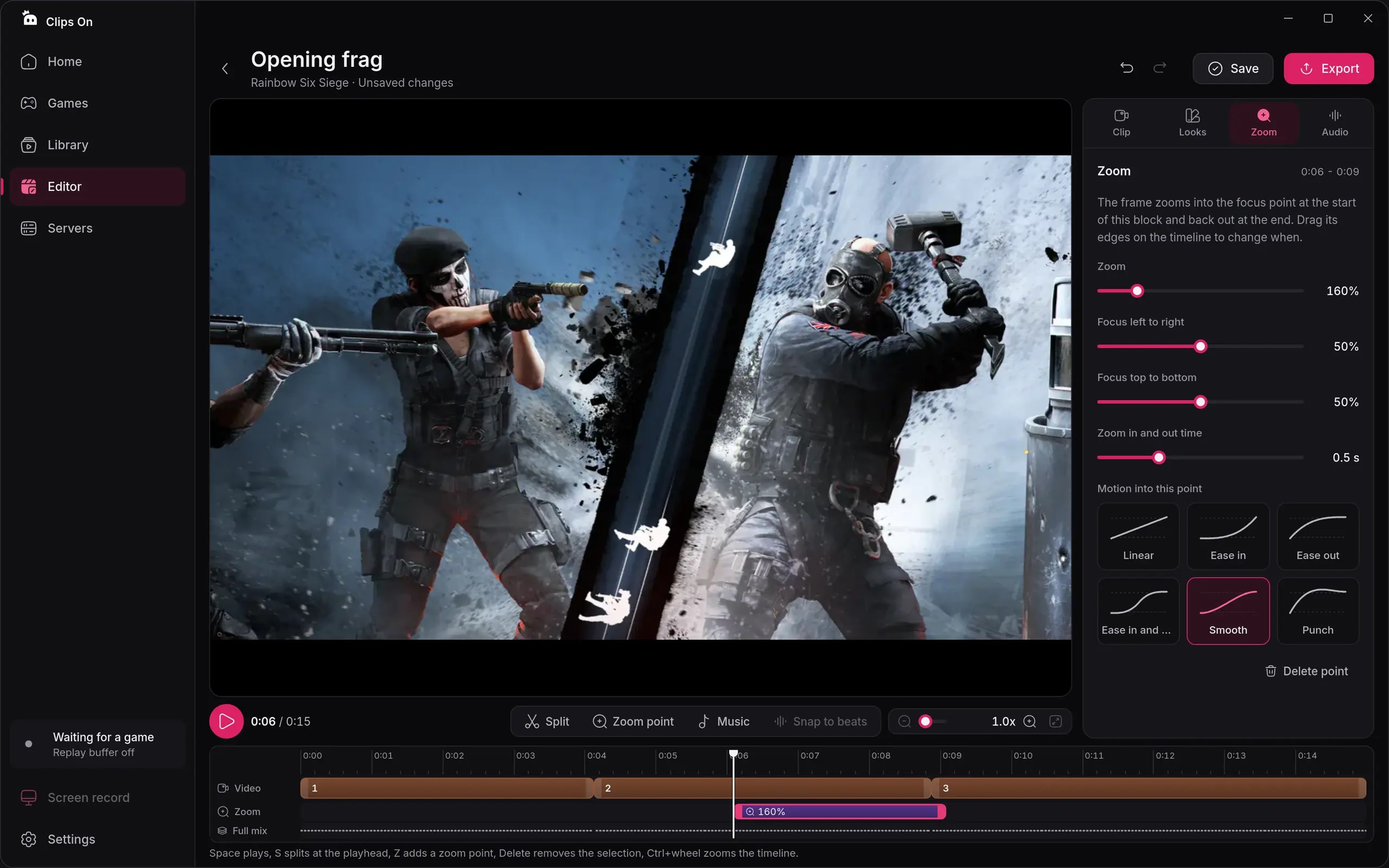
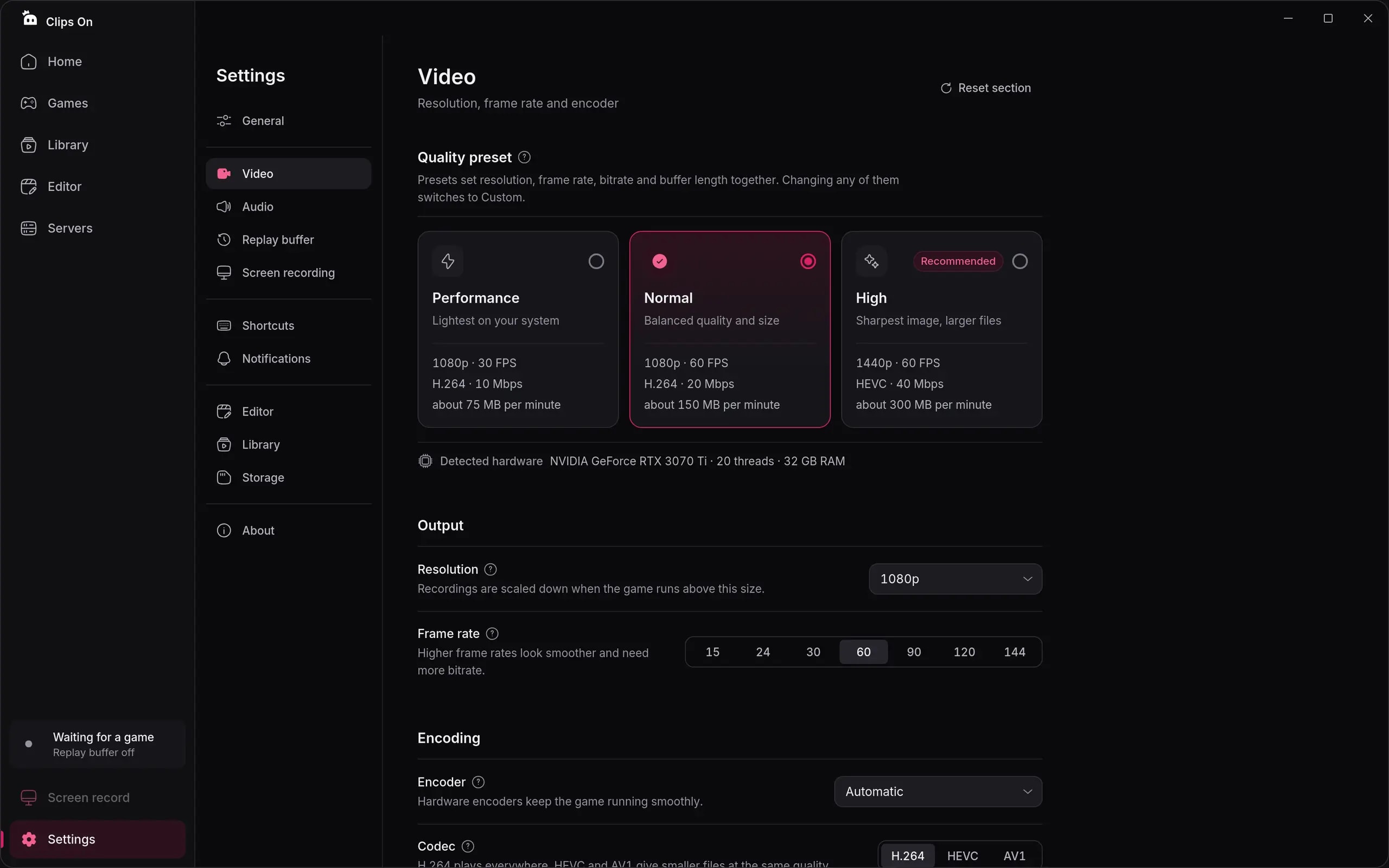
Clips On is a free game clip recorder for Windows 10 and 11. A replay buffer of up to 30 minutes keeps the latest moments, so players can save a play with one hotkey after it happens. Kills, aces, goals and wins are saved automatically in supported games and on connected game servers, starting with MTA: San Andreas. Recording uses the graphics card's hardware encoder (NVIDIA NVENC, AMD AMF or Intel Quick Sync) to keep frame rates high, and game, microphone and app audio land on separate tracks. A built-in editor trims, splits, changes speed and adds zoom keys without leaving the app. Clips stay on the player's PC, and the app needs no account.
Pick the version that reads best on your background. Every file comes as SVG and as a 1024 px PNG.






Dark backgrounds carry most of the layout, light text sits on top, and pink is kept for the accent. Click a color to copy its HEX code.
Primary accent, buttons and the mark
Icon gradient start
Icon gradient end, pressed states
Main background
Cards and panels
Main text on dark
Secondary text on dark
Clips On is set in Inter. Headings use Bold with slightly tight letter spacing, body text uses Regular.
Headings, interface and body text in English
Never miss the play.
Free game clip recorder for Windows. Replay buffer, auto highlights, built-in editor.
Real screens from the app at 2560 × 1600. Click to download the full-size JPG.
A few simple rules keep the logo recognizable everywhere.
For press questions, review builds or anything not covered here, write to us from inside the app: open Clips On, then Settings, About, Report a problem. Mention that you are writing about Clips On and we will get back to you.